How to merge or minify JavaScript files separately
For various reasons such as debugging, or if your assets are already minified, you can choose merge your scripts without minifying them by doing the following, or vice-versa:
- Go to WP-Optimize > Minify > JavaScript
- Scroll to the ‘JavaScript options’ section
- Uncheck the “Enable minification of JavaScript files” or “Enable merging of JavaScript files” checkbox:
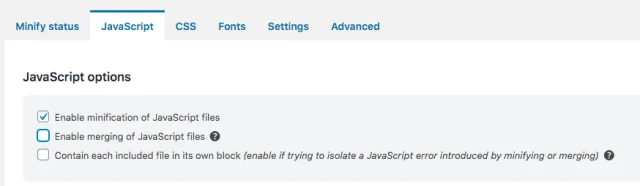
4. Press ‘Save settings’
You can disable both options if you wish to only use the ‘Load JavaScript asynchronously’ option.