Blocking IP addresses with Smart 404
How do I Instantly block IP addresses based on 404 events where the URL matches certain strings?
You can add even further granularity to how you deal with malicious 404 events with this premium feature.
In a many cases there will be 404 events produced because someone is trying to look for certain pages or files they have no business looking for other than for malicious purposes. Hence with this feature you can identify any 404 URL which contains certain strings and block that IP address instantly.
For example, based on the configuration in the figure above, if an IP address produces a 404 event when it tries to locate the following URL (yoursite.com/wp-admin/js/mssqli.php) it will instantly be blocked permanently.
How to see a summary of blocked IP addresses and 404 errors
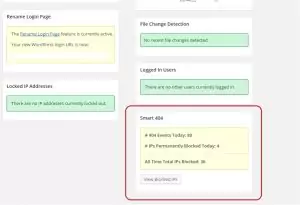
The Smart 404 Blocking Premium feature includes a handy summary inside the AIOS dashboard, so you can see how many IP addresses were blocked today, how many 404 events occurred plus a total count of permanently blocked IPs.
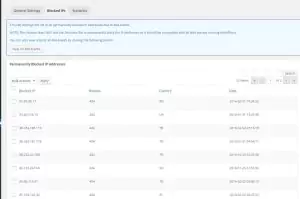
There is also a table you can view showing the total list of permanently blocked IP addresses.