How lazy loading works
Lazy loading is the technique of only loading parts of a web-page when it is visible to the user.
The parts, usually images or videos, are replaced by placeholder elements until they are needed.
The advantage of lazy loading is that the initial page load is much faster. Rather than waiting for everything on the page to load, the user can start viewing visible content quickly.
WP-Optimize gives a simple and easy method to set your images and videos to lazy load.
How to enable lazy loading in WP-Optimize
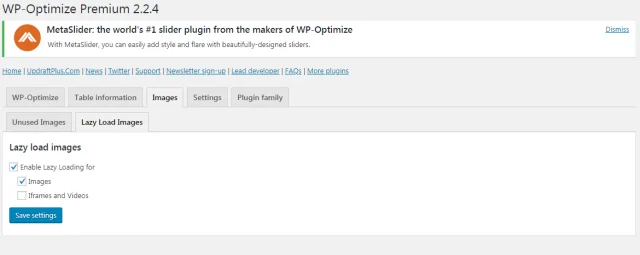
- Open the WP-Optimize Images tab
- Open the Lazy Load Images sub-tab
- From here, you can enable lazy
- loading for both Images and Videos/Iframes
If you need to disable lazy loading for certain images, videos or iframes just add no-lazy class to the specific HTML element.